Instant Access
Sign in once and reach the full Spinrise catalogue of 7,000+ games, your Interac cashier, and active bonus offers immediately.
Login at Spinrise Casino: Quick Account Access
Access your Spinrise account from any device. Enter your registered email and password to reach your games, cashier, and bonuses.
Login Security
What You Should Do
What You Should Avoid
Your Spinrise Login at a Glance
Instant Access
Sign in once and reach the full Spinrise catalogue of 7,000+ games, your Interac cashier, and active bonus offers immediately.
Two-Factor Authentication
Protect your account with 2FA. Once enabled, a second verification step is required alongside your password at every sign-in.
Mobile Browser Login
Spinrise has no dedicated app, but the login page loads fully in Chrome and Safari on Android and iOS without any download.
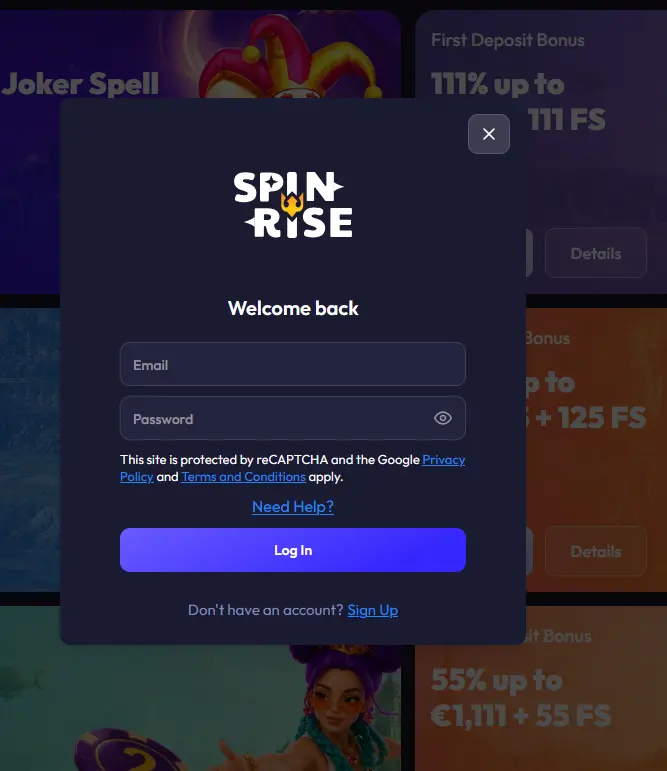
Spinrise uses a standard email-and-password authentication system for all accounts. There is no option to sign in through a third-party service such as a Google or social media account; your registered email address and the password you created at signup are the only credentials that access your account. Two-factor authentication is available as an additional security layer and can be activated from the security section of your account settings at any time.
Signing in to Spinrise follows the same process regardless of the device you are using, because the entire platform runs through the browser.
Open your preferred desktop browser and navigate to spinrisecasino24.com. Click the login button in the upper-right corner of the homepage, enter the email address you registered with, type your password, and click sign in. Your account dashboard and the full game lobby load immediately.
On Android or iOS, open Chrome or Safari and visit spinrisecasino24.com. The site detects your screen size automatically and switches to its mobile-optimized layout. Tap the login button, enter your email and password, and tap sign in. The process is identical to the desktop flow and takes under thirty seconds on a stable connection.
Spinrise does not currently offer a native Android or iOS app available through the Google Play Store or the Apple App Store. Players on mobile access the same full-featured login and casino through their mobile browser. You can add spinrisecasino24.com to your home screen as a shortcut so it launches like an app icon without opening a browser tab manually.
The most frequent reason a login attempt fails is a password entered incorrectly, often due to a caps-lock key being active or a space accidentally included. If you are certain the password is correct, try using the password-reset link on the login page: enter your registered email, and a reset link is sent within a few minutes.
If you no longer have access to the email address associated with your Spinrise account, contact the support team via live chat at any hour. An agent will verify your identity through alternative means and help you regain access. Accounts that have been self-excluded or placed under a cooling-off period cannot be logged into during the restriction period; contact support at [email protected] if you believe a restriction has been applied in error.
Attempts to log in from certain regions may trigger an IP-based access check. If you are travelling outside Canada and experience difficulty signing in, reaching out to live chat support is the recommended first step.
Your Spinrise account holds your balance, bonus funds, and linked payment details, so keeping it secure is important. Two-factor authentication (2FA) is the most effective additional protection: once enabled, every login from a new device or browser requires a one-time code sent to your registered phone number or authenticator app in addition to your password. This means that even if your password is compromised, an attacker cannot access your account without also controlling your phone.
Spinrise uses SSL encryption for all communications between your browser and its servers, protecting the transmission of your login credentials and any personal data you send during the session. Hollycorn N.V., the operator, holds this data under the requirements of its Curaçao Gaming Control Board licence OGL/2023/176/0095.
If you notice any unusual account activity, change your password immediately and contact support via live chat or at [email protected].
Registration on the Spinrise website is open to new players who are 19 years of age or older (18+ in Alberta, Manitoba and Quebec). The signup process asks for your email address, a password, and basic personal details, and takes only a few minutes to complete. Once your account is created and your first deposit is made, the three-part welcome bonus up to $5,555 plus 257 free spins becomes available. Registration is done directly through the Spinrise website; no app download is needed.
Login Questions Answered
Click the 'Forgot password' link on the login page, enter your registered email address, and follow the reset link sent to your inbox. If the email does not arrive within a few minutes, check your spam folder or contact support via live chat.
Yes. Spinrise has no dedicated mobile app, but the full login page and casino function correctly in Chrome and Safari on both Android and iOS mobile browsers.
Spinrise requires KYC verification under its Curaçao Gaming Control Board licence OGL/2023/176/0095 before processing withdrawals. You will need to provide a government-issued photo ID such as a driver's licence or passport, plus a proof of address.
Back to the Games
Grab 125% up to $5,555 and 257 free spins.
Enter Casino Play responsibly: gambling carries a risk of dependency. Open to players 19+ (18+ in Alberta, Manitoba and Quebec). Bonus terms apply.